


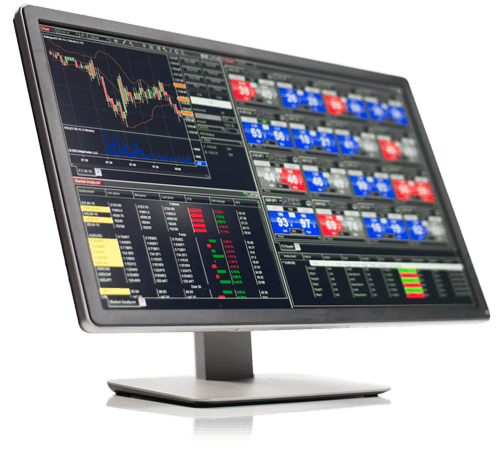
Our Recommended Trading Platform
Tools and platform configuration designed to support a disciplined futures trading decision framework.
NinjaTrader® is our #1 recommended trading software platform preferred by traders worldwide including our clients.
Download NinjaTrader & receive immediate FREE access to:
· Real-time futures data
· Advanced charting
· Trade simulator
· Strategy development and backtesting
NinjaTrader’s award-winning trading platform is consistently voted an industry leader by the trading community. Featuring 1000s of Apps & Add-Ons for unlimited customization, NinjaTrader is used by over 500,000 traders for advanced market analysis, professional charting and fast order execution.
For new traders, start preparing for the live markets with a free
trading simulatorfeaturing real-time
market data.
*May receive referral compensation. Use of any broker is optional.
NinjaTrader is the platform. Zamora Bias is the decision filter.
Most traders don’t lose because they lack indicators — they lose because they trade without an objective way to define Long , Short , or Neutral conditions. Zamora Bias is designed to help you stop forcing trades when participation isn’t clean.
Note: Zamora Bias is not a buy/sell signal — it’s a context tool that helps you trade when the environment supports your plan.


Our Recommended Market Data Feed
Kinetick® delivers reliable, fast and cost-effective
market data to help level the playing field for active traders. Take advantage of unfiltered, real time quotes for stocks, futures and forex that exceed the expectations of the world’s most demanding traders, like us!
Get started with FREE end-of-day historical market data directly through the NinjaTrader platform and learn how you can significantly reduce CME Group Globex exchange fees on real-time market data with Kinetick.
Step 1: Platform setup. Step 2: Trade with bias context.
If you only complete NinjaTrader setup, you still don’t have a rules-based framework to determine when to focus Long, focus Short, or stand down. Zamora Bias exists to provide that context — so your entries happen when the market environment supports them.
Filter for long setups.
Avoid forced trades.
Filter for short setups.
